
As digital financial services evolve rapidly across the Philippines, Maya (formerly PayMaya) has grown from a standard mobile e-wallet into a comprehensive digital banking ecosystem licensed and regulated by the Bangko Sentral ng Pilipinas (BSP). For digital gaming enthusiasts who value reliable transaction processing, high daily transaction ceilings, and modern financial security, Maya provides an exceptional payment channel for managing deposits and withdrawals.
When funding your account on the Filbet Casino platform, Maya delivers several distinct operational advantages: near-instant transaction settlement, seamless QR Ph cross-platform compatibility, zero operator deposit surcharges, and direct integration with high-yield digital savings accounts. Whether you are funding casual slot play or managing high-roller table game sessions, Maya handles transactions smoothly and securely.
This comprehensive guide delivers a detailed walkthrough of every Maya cash-in procedure, explains wallet tier thresholds, reviews virtual card integrations, details troubleshooting protocols for floating balances, and outlines best practices for account security.
The Advantages of Using Maya for Online Casino Gaming
While mobile financial apps share broad similarities, Maya distinguishes itself through its enterprise-grade digital banking architecture, backed by Maya Bank, Inc.
| MAYA ECOSYSTEM ADVANTAGES |
|---|
| [Digital Banking Backbone] ---> Instant movement from Maya Savings |
| directly to Maya Wallet. |
| [Enhanced Transaction Caps]---> Up to PHP 500,000 monthly inflow |
| for upgraded personal accounts. |
| [Dynamic QR Ph Standard] ---> Universal scan-to-pay infrastructure |
| eliminates manual transfer errors. |
| [Zero Platform Markups] ---> Exact 1:1 conversion to game credits |
| with zero hidden cashier deductions. |
Key benefits for Philippine casino players include:
| Account Status | KYC Level | Single Transaction Limit | Monthly Inflow Cap | Gaming Compatibility |
|---|---|---|---|---|
| Basic Maya Account | Unverified / Incomplete | PHP 5,000 | PHP 10,000 | Not Recommended (High failure rate) |
| Upgraded Maya Account | Fully Verified (Gov ID) | PHP 50,000 | PHP 100,000 | Highly Recommended |
| Upgraded + Maya Savings | Complete Biometrics | PHP 100,000 | PHP 500,000 | Ideal for VIP / High Rollers |
| Filbet Standard Deposit | Level 1 & 2 Verified | PHP 100 (Min) – PHP 20,000 | Per Operator Tier | Standard Player Profile |
| Filbet VIP Cashier | Level 3 Verified | PHP 1,000 (Min) – PHP 50,000+ | Customizable | VIP / High Roller Profile |
[Navigate to Filbet Cashier Dashboard]
v
[Select "Maya" / "PayMaya" as Payment Gateway]
v
[Specify Deposit Amount (PHP 100 - PHP 50,000)]
v
[Select Preferred Maya Gateway Channel]
v v
[Dynamic QR Ph Code] [Maya Checkout / WebPay]
Scan via Maya App Log in with phone & password,
Upload QR Screenshot verify OTP token
v
[Instant Fund Verification & Account Balance Credit]
Accessing the Deposit Portal
1. Log in to your player account using your mobile browser, desktop interface, or installed application.
2. Tap the Deposit button located in the top navigation header or user profile dashboard.
3. Select Maya from the list of supported Philippine payment gateways.
Selecting Your Deposit Amount and Promotional Bonuses
1. Select one of the preset deposit amount buttons (such as PHP 200, PHP 500, PHP 1,000, or PHP 5,000) or manually enter a custom amount within platform limits.
2. If you want to claim an active promotional reward—such as a welcome bonus, reload bonus, or live casino rebate—check the corresponding bonus selection box.
3. Review the wagering turnover requirements tied to your chosen promotion.
4. Click Submit Deposit or Proceed to Pay.
Method 1: Depositing via Dynamic QR Ph (Fastest Method)
Dynamic QR Ph is the most efficient and error-free payment channel for mobile users.
> 🔄 Execution Workflow: [System Displays Dynamic QR] ---> [Capture Screenshot on Handset]
v
> 🔄 Execution Workflow: [Open Maya Mobile App] ---> [Tap "Scan QR" on Home Screen]
v
> 🔄 Execution Workflow: [Select "Upload QR from Photos"] ---> [Maya Decodes Merchant & Amount]
v
> 🔄 Execution Workflow: [Tap "Pay PHP XXX"] ---> [Funds Transferred Instantly]
1. Upon submitting your deposit request, the cashier generates a unique QR code accompanied by a 5-to-10 minute expiration countdown.
| Error Condition | Root Cause | Immediate Remediation |
|---|---|---|
| Payment Deducted, Wallet Uncredited | Gateway callback dropped due to network latency. | Allow 15 minutes for automated polling. If unresolved, provide Reference ID to 24/7 live support. |
| "Transaction Denied / Card Declined" | Insufficient funds in consumer wallet, or funds stored in Savings. | Transfer funds from Maya Savings to your primary Maya Wallet before initiating the deposit. |
| "Expired QR Code" | The dynamic QR image was scanned past its 5-to-10 minute validity timer. | Discard the expired screenshot, generate a fresh QR in the cashier, and pay immediately. |
| "Payment Limit Exceeded" | The account has reached its daily or monthly incoming/outgoing cap. | Check your account limits in the Maya app under Profile > Account Limits, or upgrade your account. |
| Deposit Held by Compliance | Transfer originated from an account registered under someone else's name. | The platform enforces strict 1:1 name matching. Third-party transfers will be refunded or frozen. |
[Maya Balance Debited]
v
[Wait 10-15 Minutes for Automatic Synchronization]
[Credited] [Uncredited]
v v
[Play] [Open Maya App > Wallet > Activity]
v
[Locate Transaction & Copy Reference ID]
v
[Open Filbet Live Chat Support]
v
[Agent Manually Reconciles Balance (5-20 Mins)]
1. Verify Your Transaction Record: Open your Maya app, navigate to Activity, and tap the specific deduction to open the digital receipt. Note the Reference ID.
2. Access Customer Care: Open the live chat support portal on the platform homepage.
3. Submit Verification Details: Provide your player username, deposit amount, timestamp, and a clear screenshot of the Maya receipt showing the Reference ID.
4. Support staff will cross-reference the transaction within the merchant reporting backend and credit your gaming balance manually.
The Strict One-to-One Account Name Rule
Compliance guidelines established by PAGCOR and Philippine Anti-Money Laundering legislation require strict alignment between gaming profiles and funding sources:
- The legal name registered on your gaming account must match the legal name on your verified Maya wallet.
- Deposits made using accounts belonging to relatives, spouses, or acquaintances are strictly prohibited.
- If a name discrepancy occurs—for example, due to a missing middle name or typographical error—the system may suspend transactions until identity documents are verified by compliance staff.
If you also utilize alternative e-wallets, review our Filbet GCash deposit guide to ensure your secondary payment profiles comply with name verification standards.
Withdrawing Casino Winnings Directly to Maya
Withdrawing your winnings back to your verified Maya account is one of the most reliable payout methods available to Philippine players.
- Fast Turnaround: Approved Maya withdrawals typically settle within 15 minutes to 2 hours following compliance sign-off.
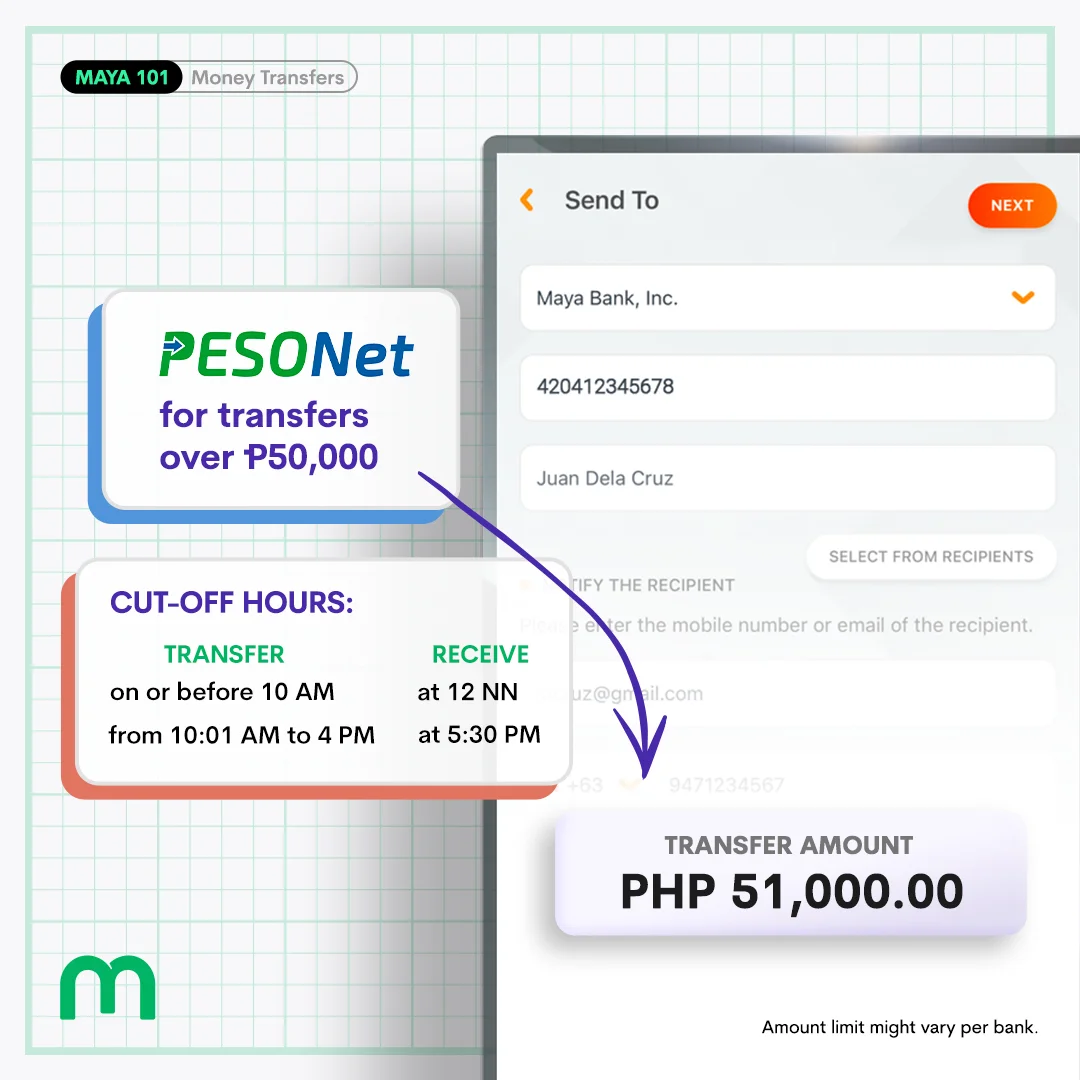
- Direct Bank Linking: Once funds arrive in your Maya wallet, you can transfer them seamlessly to any Philippine bank via InstaPay or PESONet, withdraw cash via BancNet ATMs using your physical Maya card, or transfer funds into Maya Savings.
- Payout Ceilings: To review standard daily payout limits, turnover rules, and VIP withdrawal processing times, consult our detailed Filbet withdrawal limits and processing guide.
Security Best Practices for Digital Wallet Users
Maintaining strong digital security ensures your funds remain protected:
- Protect Your Passwords and Passkeys: Never disclose your Maya password, biometric login, or dynamic verification codes to anyone. Legitimate platform agents will never ask for your confidential financial credentials.
- Enable Biometric App Security: Configure Face ID or fingerprint recognition within the Maya app to prevent unauthorized access if your smartphone is unattended.
- Scrutinize External Communications: Be cautious of suspicious SMS messages or emails claiming to offer "exclusive cash rebates" or asking you to "re-verify your wallet" via external links. Always navigate to the official Maya app directly.
- Avoid Unsecured Public Wi-Fi: Conduct financial transactions over secure home broadband or cellular mobile data to safeguard your sensitive payment traffic.
Responsible Gaming and Financial Self-Regulation
Mobile financial tools like Maya make depositing fast and accessible, which underscores the importance of exercising personal financial discipline during gaming sessions:
- Define an Entertainment Budget: Only wager funds that are completely separate from your daily living expenses, household bills, and emergency savings.
- Avoid Chasing Losses: When your predetermined gaming budget for the session is exhausted, log out and conclude your play. Depositing additional funds to chase past losses increases financial risk.
- Set Personal Platform Limits: Contact customer support to configure voluntary deposit caps or temporary cooling-off periods on your player account.
The regulatory framework maintained by PAGCOR emphasizes player welfare and transparent gaming standards. If you or someone you know requires assistance with gaming habits, confidential support and counseling services are available through Gamblers Anonymous and Gambling Therapy.
Frequently Asked Questions
What is the minimum and maximum amount I can deposit with Maya on Filbet?
The standard minimum deposit via Maya is PHP 100 per transaction. The standard maximum transaction ceiling ranges between PHP 20,000 and PHP 50,000, depending on your player account verification level and whether your Maya account is upgraded to high-tier limits.
Can I deposit directly from my Maya Savings account?
Not directly. You must first transfer the desired funds from your Maya Savings account to your primary Maya Wallet within the Maya app (which takes just a few seconds with zero fees), and then initiate your deposit to the casino cashier.
How long does a Maya deposit take to reflect in my player balance?
Under normal conditions, deposits process automatically via direct API integration and reflect in your balance within 15 to 60 seconds. During peak banking hours or telecommunication delays, processing may take up to 15 minutes.
Does Filbet charge any fees for deposits or withdrawals made through Maya?
No. The platform does not deduct administrative fees or processing surcharges from Maya deposits or withdrawals. You receive 100% of your requested transaction value.
What should I do if my Maya wallet was debited but my casino balance remains zero?
Wait 10 to 15 minutes for automated reconciliation to complete. If the funds still do not appear, open your Maya app, navigate to Activity, take a screenshot of the receipt showing the Reference ID, and present it to the 24/7 live chat support team for manual crediting.
Can I use Maya to claim welcome bonuses and promotional deposit matches?
Yes. Maya deposits are fully eligible for promotional match bonuses, reload incentives, and daily cash rebates, provided you select the applicable promotion during the cashier deposit step and satisfy the accompanying wagering requirements.
Connected Resources and Guides
- Filbet Comprehensive Casino Platform Review
- Filbet GCash Deposit and Payment Walkthrough
- Filbet Withdrawal Limits and Processing Timelines
- Filbet Account Verification and KYC Guidelines
- Filbet SMS OTP Verification Troubleshooting Guide
- Filbet Login Troubleshooting and Error Resolutions
- Filbet Password Recovery and Reset Instructions
- Filbet Android APK Installation Tutorial
- Filbet iOS PWA Mobile Setup Guide
- Responsible Gaming and Player Protection Policies
Official Member Access and Registration
To access real-money gaming tables, practice slot mechanics, or claim verified promotional credits, visit the official Filbet Portal on mobile or desktop.