
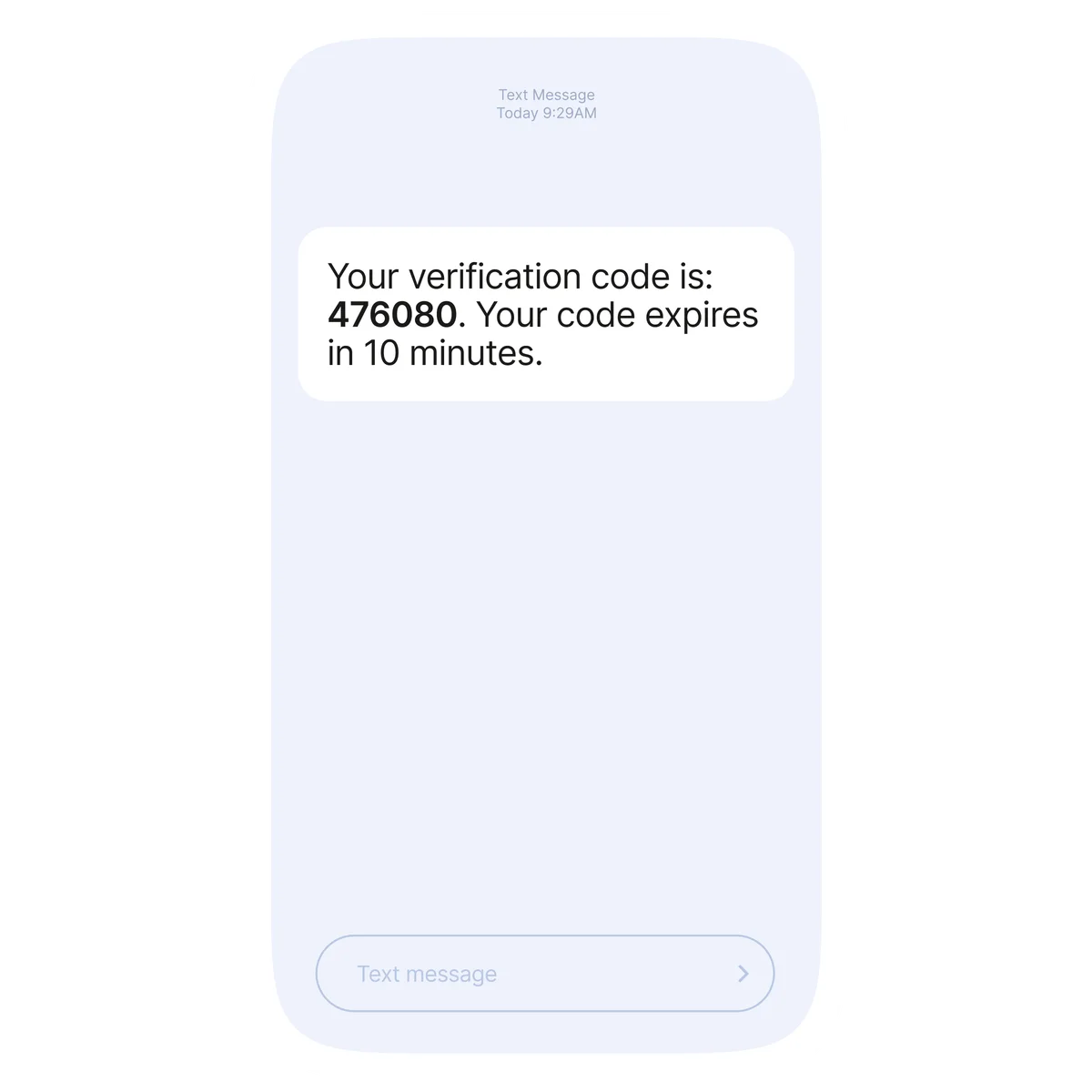
One-time passwords (OTP) represent the primary cryptographic barrier defending player accounts, wallet balances, and sensitive transaction requests against unauthorized intrusion. In digital gaming, where real money moves continuously across domestic payment channels, rapid authentication is essential. Whether you are creating a new player profile, authenticating a session from a secondary device, adjusting your security parameters, or initiating a funds payout to your digital wallet, entering a dynamic verification code confirms that the person controlling the screen is the rightful owner of the registered mobile identity.
Despite the modern infrastructure powering authentication gateways, players in the Philippines regularly encounter delivery delays, expired verification tokens, or delivery failures. These interruptions rarely mean your account is permanently blocked. Instead, they typically reflect carrier network congestion, local handset spam filtering rules, or temporary synchronization lags between enterprise SMS aggregators and domestic telecommunications providers.
This comprehensive guide breaks down the technical mechanics of SMS verification, delivers actionable troubleshooting instructions for every major Philippine mobile carrier, outlines security protocols to prevent account takeovers, and explains how to resolve persistent token delivery issues.
The Role of One-Time Passwords in Account Protection
An SMS one-time password is an automated, single-use numeric sequence generated by an authentication server to authenticate an active user action. Unlike static account passwords, which remain identical until manually updated, an OTP possesses a brief operational lifespan—typically between 60 and 300 seconds—and becomes permanently void once entered or expired.
| OTP TRANSACTION LIFECYCLE |
|---|
| [User Action] [Auth Server] [Telco Pipeline] [Device] |
| Cash-out / ---> Generate ---> Carrier SMS ---> Display |
| Login Attempt Dynamic Code Aggregator Token |
| +---------- Valid 180s <-------------+ |
Dynamic tokens serve several essential operational purposes:
- Secondary Authentication Factor: Even if an unauthorized party learns your primary account password through credential stuffing or phishing, they cannot breach your account without simultaneous physical access to your active SIM card.
- Transaction Validation: Payout authorizations, bank account bindings, and mobile wallet updates demand independent verification to ensure funds are not diverted to fraudulent accounts.
- Account Recovery Authorizations: Resetting a forgotten credential on the Filbet Casino platform requires verifying mobile ownership to stop brute-force identity theft.
- Compliance with Philippine Regulatory Standards: Consumer protection guidelines issued by PAGCOR urge digital operators to enforce robust dual-layer authentication standards for real-money gaming environments.
How the Philippine Mobile SMS Gateway Operates
To diagnose why a verification code fails to reach your smartphone, you must understand the multi-tiered relay system required to deliver an automated enterprise SMS in the Philippines.
When you click "Send OTP" or initiate an action requiring verification, the platform does not text your phone directly from an ordinary handset. Instead, an Application Programming Interface (API) call routes the request through a specialized telecommunications pipeline:
[Filbet Auth Engine]
v
[Global / Local SMS Aggregator]
v
[Philippine Telco Gateway: Globe / Smart / DITO]
v
[User Smartphone / Active SIM Card]
1. Token Generation: The platform authentication server creates a pseudo-random numeric token (typically 4 to 6 digits) and stores it in temporary cache memory alongside a timestamp and your unique player ID.
2. Aggregator Routing: The server packages the code into an encrypted payload and transmits it to an enterprise messaging aggregator capable of processing bulk traffic across Philippine networks.
3. Carrier Gateway Sorting: The aggregator determines whether the destination number belongs to Globe Telecom, Smart Communications, or DITO Telecommunity, directing the message to the corresponding carrier gateway.
4. Cellular Broadcast: The carrier checks the recipient number against active subscriber registries, validates the sender shortcode, and broadcasts the SMS payload via the nearest cellular transceiver tower to your handset.
If congestion, hardware throttling, or spam filtering occurs at any point along this pipeline, the delivery window will experience latency, frequently causing the token to arrive after its validity window has expired.
Carrier-Specific Troubleshooting for Philippine Mobile Networks
Each domestic mobile provider operates proprietary network filtering, shortcode management protocols, and signal switching architectures. Applying carrier-targeted diagnostics resolves the vast majority of delivery bottlenecks.
Globe Telecom and TM (Touch Mobile)
Globe operates an aggressive automated spam-filtering infrastructure designed to protect subscribers from illegal unsolicited messaging. While effective against unauthorized advertising, these filters occasionally flag automated transactional shortcodes.
- Check Carrier Spam Archives: Modern Android smartphones utilizing Google Messages often automatically archive Globe shortcode traffic. Open your messaging app, tap your profile icon or the three-dot menu, select Spam and Blocked, and check for misclassified verification tokens.
- Clear Carrier Network Cache: Switch your device to Airplane Mode for ten seconds, then disable it. This disconnects your SIM card from the local Globe tower and forces a new registration handshake with the Home Location Register (HLR).
- Verify VoLTE and Network Bands: In areas undergoing LTE and 5G upgrades, ensure your phone settings have Voice over LTE (VoLTE) enabled. Certain hybrid towers prioritize voice and packet data over basic SMS channels when cellular traffic peaks between 7:00 PM and 10:00 PM.
Smart Communications and TNT (Talk 'N Text)
Smart users occasionally experience delays caused by enterprise shortcode routing rules, especially on prepaid SIM accounts that have recently undergone SIM card registration updates or SIM replacements.
- Review Inactive SIM Balance: While receiving an incoming transactional SMS does not consume prepaid airtime load, certain carrier gateways restrict specific shortcode deliveries if the SIM account has entered an inactive grace period. Confirm your SIM status by dialing `*123#` or launching the Smart mobile portal.
- Inspect Network Registration: If your device frequently switches between 3G, 4G, and 5G in areas with variable coverage, manually lock your cellular network preference to LTE / 4G within your device connection settings. A stable LTE connection prevents dropped signaling packets during the tower handover phase.
- Clear Carrier Configuration Profiles: On iOS devices, navigate to Settings > General > Transfer or Reset iPhone > Reset > Reset Network Settings. This refreshes carrier bundle configurations and clears corrupted cellular routing tables.
DITO Telecommunity
As the newest nationwide carrier, DITO operates a pure 4G LTE and 5G architecture without legacy 2G or 3G fallback systems.
- Verify VoLTE Activation: DITO requires VoLTE-compatible hardware for synchronized voice, SMS, and data handling. If your handset is not on DITO's officially certified device list, you may experience delays receiving incoming SMS during active mobile data downloads. Ensure the VoLTE icon is visible in your status bar.
- Examine APN and SMS Center Settings: Verify that your SMS Service Center (SMSC) address matches DITO's national specifications. An outdated SMSC configuration prevents your messaging client from polling carrier towers for incoming transactional packets.
Universal Step-by-Step Diagnostic Routine
If you are waiting for a verification code and the on-screen countdown timer is rapidly diminishing, execute this standardized diagnostic sequence before requesting another token:
[OTP Delay Detected]v
> 🔄 Execution Workflow: [Toggle Airplane Mode (10s)] ---> [Check SMS Inbox Storage]
v v
> 🔄 Execution Workflow: [Check Spam & Blocked Folders] ---> [Verify Phone Number Format]
v v
> 🔄 Execution Workflow: [Wait Out Cooldown Window] ---> [Request Single New Token]
Reset Handset Transceiver State
Do not keep tapping the resend button. Instead, swipe down your device notification shade and toggle Airplane Mode on. Wait ten full seconds before turning it off. This re-establishes a clean radio frequency connection to the nearest cell tower and clears temporary messaging buffer delays.
Check Messaging App Storage Capacity
Old SMS threads containing thousands of messages can saturate the local database of your smartphone messaging application, especially on budget Android devices. Delete outdated utility notifications, promotional texts, and old verification codes to ensure your local inbox has sufficient storage space to process incoming payloads.
Inspect Third-Party Call and SMS Blocking Software
Third-party security software such as Truecaller, Whoscall, or built-in manufacturer security suites (such as Xiaomi Security or Samsung Smart Call) frequently identify unknown numeric shortcodes as potential spam. Temporarily add the platform sender profile to your approved contacts or disable aggressive message screening during the authentication process.
Confirm Correct Number Formatting
Ensure your registered mobile number is entered accurately in the verification dialog. In the Philippines, mobile numbers follow a ten-digit sequence following the trunk prefix:
- Correct standard format: `9171234567` (when the interface pre-populates `+63`)
- Correct alternative format: `09171234567` (when the input field requires the domestic trunk zero)
- Incorrect format: `+6309171234567---
| Action Category | Security Trigger | Operational Purpose |
|---|---|---|
| Account Creation | Initial mobile binding | Validates that the applicant controls an active, registered Philippine mobile line. |
| New Device Login | Unrecognized hardware fingerprint | Stops credential-stuffing attacks if login credentials were leaked elsewhere. |
| Password Modification | Credential reset request | Prevents malicious takeovers by requiring direct access to the registered handset. |
| Payment Binding | Linking GCash or Maya | Proves that the registered gaming profile matches the rightful owner of the funding wallet. |
| Withdrawal Approval | Funds disbursement request | Guarantees that payouts are explicitly authorized by the account owner. |
Request 1: Immediate dispatch (Timer: 60 - 180 seconds)
Request 2: Second attempt after timer expiration
Request 3: Third attempt with extended 300-second cooldown
Request 4: Temporary 24-hour security hold on SMS generation
If you repeatedly tap the "Resend Code" button while experiencing a carrier delay, each new request instantly invalidates the previous code in the server database. When the delayed SMS finally reaches your inbox, its token will be rejected because a newer, subsequent token was generated.
Always wait for the full on-screen countdown timer to reach zero before requesting a replacement code. If three successive tokens fail to arrive, pause the process for at least thirty minutes to avoid triggering an automated 24-hour rate-limit lock on your mobile number.
Alternative Identity Verification Pathways
When carrier-level outages or physical SIM issues completely prevent SMS reception, alternative support procedures allow verified players to complete critical actions.
Email-Based Verification
If your player profile includes an active, verified email address, you can choose to receive secondary authentication tokens via email. Select "Verify via Email" on the authentication screen, then check your primary inbox and spam folder for the alphanumeric token.
Manual Identity Verification via Customer Support
If you have lost your physical SIM card or cannot receive carrier signals, you must submit a manual identity verification ticket through official customer support channels.
Prepare the following documentation before contacting support representatives:
- Your registered player account username and associated mobile number.
- A high-resolution photograph of an official Philippine government-issued identification card (such as a PhilSys National ID, Philippine Passport, or Driver's License).
- Proof of account ownership, such as a recent transaction receipt or verified account screenshot from your registered GCash or Maya profile.
- A clear selfie photograph holding your identification card next to a handwritten note stating the current date and your request.
Customer care specialists review these documents to confirm your identity before updating your registered mobile number or processing critical administrative adjustments. Learn more about document verification standards in our Filbet account verification and KYC guide.
Essential Security Protocols: Protecting Your Verification Tokens
Because an OTP represents the final barrier protecting your real-money balance, malicious actors frequently utilize social engineering techniques to trick players into disclosing their codes. Maintaining account security requires adherence to strict operational standards:
- Never Share Your Verification Code: Legitimate platform representatives, customer support staff, and payment processing agents will never ask you to disclose an OTP via phone call, live chat, Telegram, or Facebook Messenger.
- Beware of Phishing Portals: Always verify that your browser URL bar displays the legitimate domain before entering credentials or requesting a code. Phishing websites replicate the appearance of official login portals to capture passwords and trigger OTP requests to drain player accounts.
- Scrutinize SMS Message Text: Read the full text of the SMS message accompanying your code. If the text says "Use this code to authorize a withdrawal of PHP 5,000," but you only intended to log in, do not input the code. Change your password immediately.
- Report Compromised SIM Cards Promptly: If your smartphone loses cellular service unexpectedly and shows "No Service" or "SIM Not Provisioned," contact your mobile network operator immediately. Unauthorized SIM-swap fraud allows cybercriminals to intercept SMS verification codes directly.
If you suspect your gaming activities or wagering habits are causing personal or financial distress, support resources are freely accessible through independent advisory bodies including Gamblers Anonymous and Gambling Therapy.
Frequently Asked Questions
Why is my Filbet OTP taking several minutes to arrive on my phone?
Delays usually stem from cellular carrier congestion, intermediate routing lags across enterprise SMS aggregators, or weak signal reception on your mobile device. Toggle Airplane Mode on and off to refresh your connection to the nearest cell tower, check your spam folder, and avoid tapping the resend button until the countdown timer expires.
Can I receive verification codes on an international mobile number?
The platform is primarily configured to service players residing in the Philippines through domestic telecommunications providers (+63 dialing prefix). International numbers may experience severe gateway filtering, higher delivery latency, or outright carrier rejection due to regional compliance restrictions.
What should I do if I exceed the maximum number of OTP resend requests?
When you exceed the allowable number of resend attempts, the security engine initiates an automated cooldown hold lasting between 30 minutes and 24 hours to mitigate brute-force attempts. Refrain from requesting further codes during this period, or contact official customer support to verify your identity manually.
How does the Philippine SIM Registration Act affect my verification codes?
Under the SIM Registration Act, unregistered or suspended SIM cards cannot access cellular voice or SMS services. Ensure your mobile number is officially registered and active with Globe, Smart, or DITO. If your registration is pending carrier review, transactional shortcodes may be blocked temporarily.
Can customer service agents read my OTP code to me over live chat?
No. Platform customer support personnel have no technical visibility into generated one-time passwords, which are encrypted at the database level. Any agent or third party claiming they can read or verify your OTP over social media or chat is an unauthorized party attempting to compromise your profile.
Why do I receive an OTP when I have not requested one?
Receiving an unprompted verification code indicates that someone has submitted your mobile number on the platform login or password reset screen. Immediately navigate to the official portal from a secure device, update your password to a robust alphanumeric passphrase, and notify customer care of unauthorized login activity.
Connected Resources and Guides
- Filbet Comprehensive Casino Platform Review
- Filbet Login Troubleshooting and Error Resolutions
- Filbet Password Recovery and Reset Instructions
- Filbet Account Verification and KYC Guidelines
- Filbet GCash Deposit and Payment Walkthrough
- Filbet Maya Payment and Cash-In Guide
- Filbet Withdrawal Limits and Processing Timelines
- Filbet Android APK Installation Tutorial
- Filbet iOS PWA Mobile Setup Guide
- Responsible Gaming and Player Protection Policies
Official Member Access and Registration
To access real-money gaming tables, practice slot mechanics, or claim verified promotional credits, visit the official Filbet Portal on mobile or desktop.